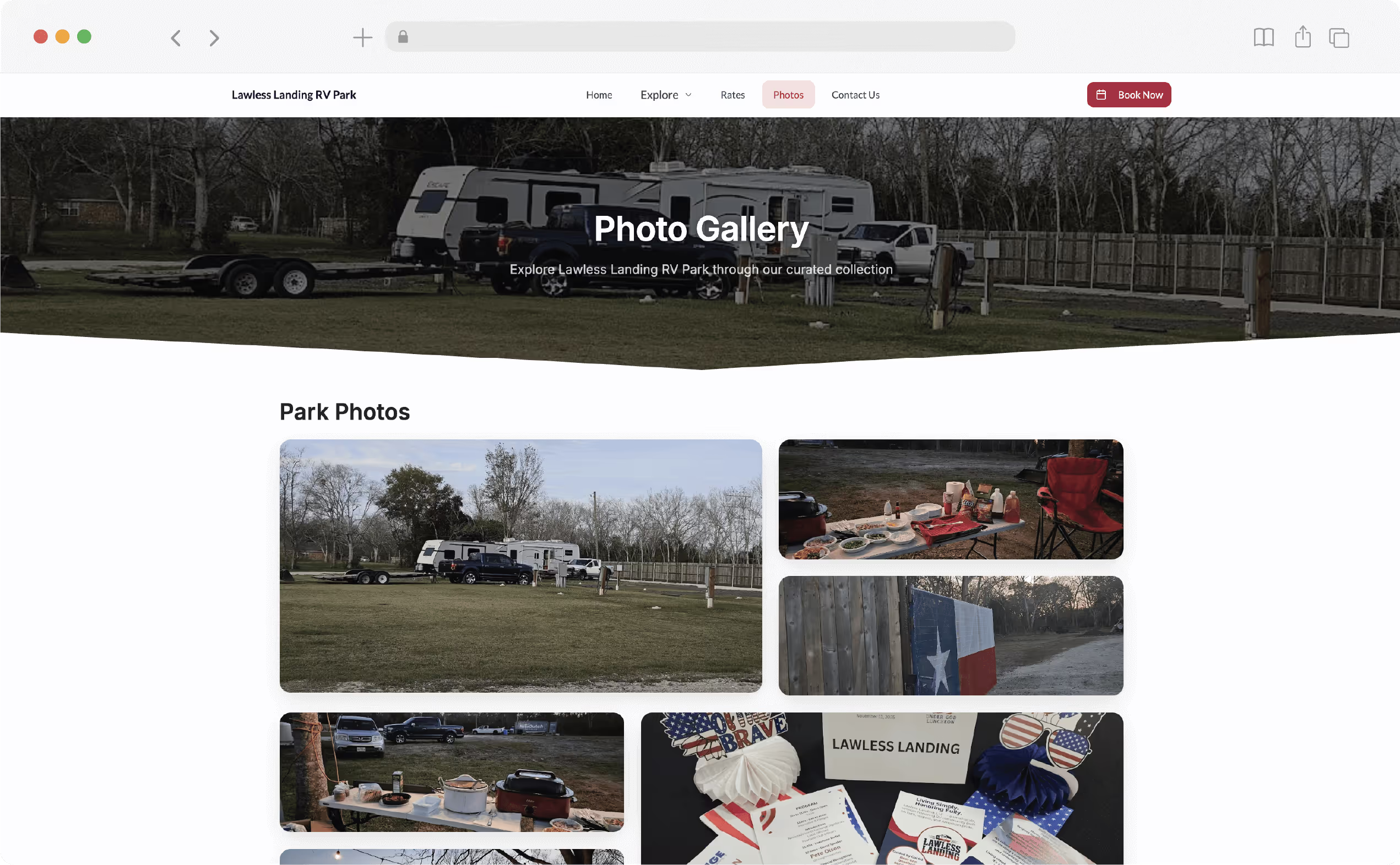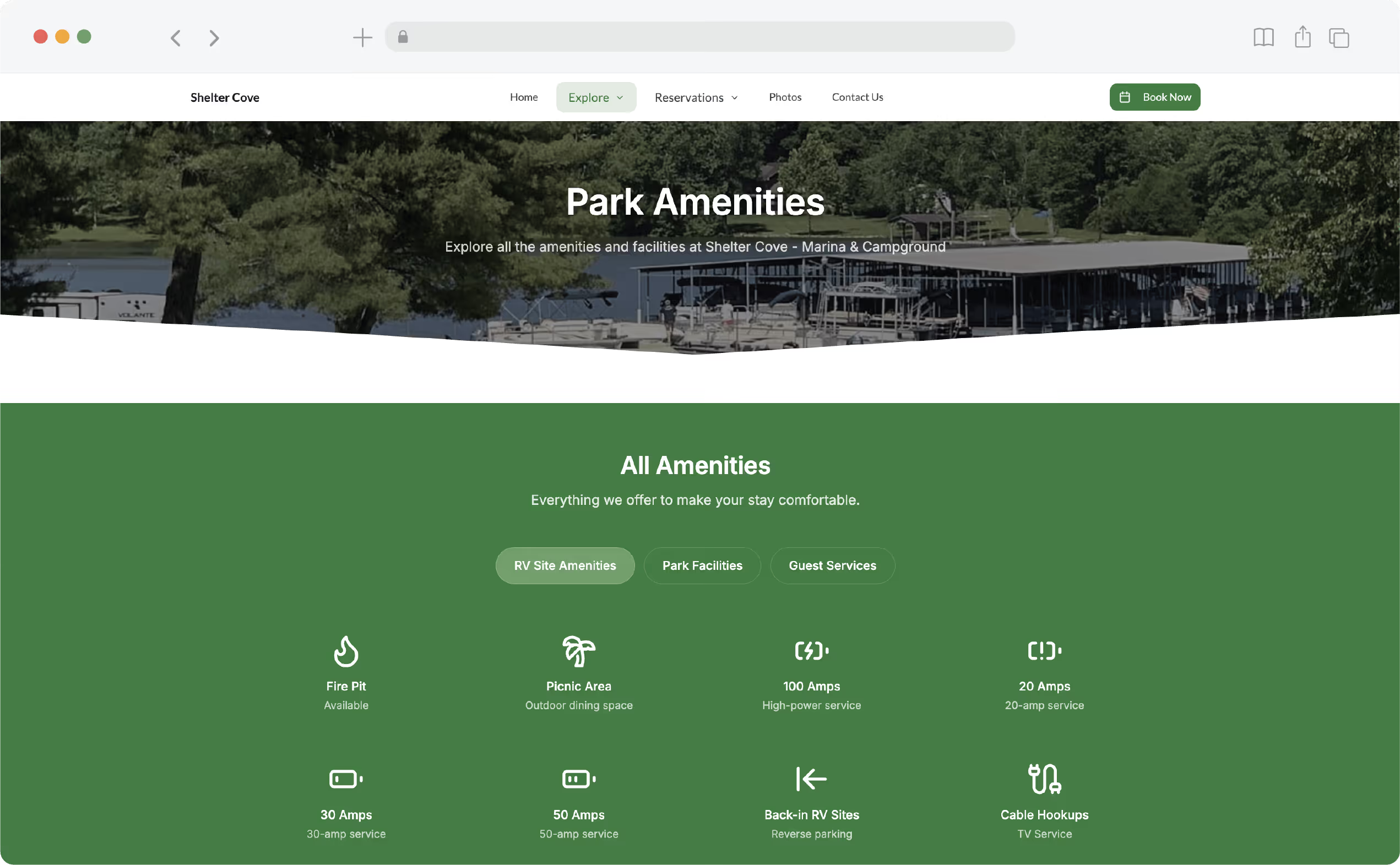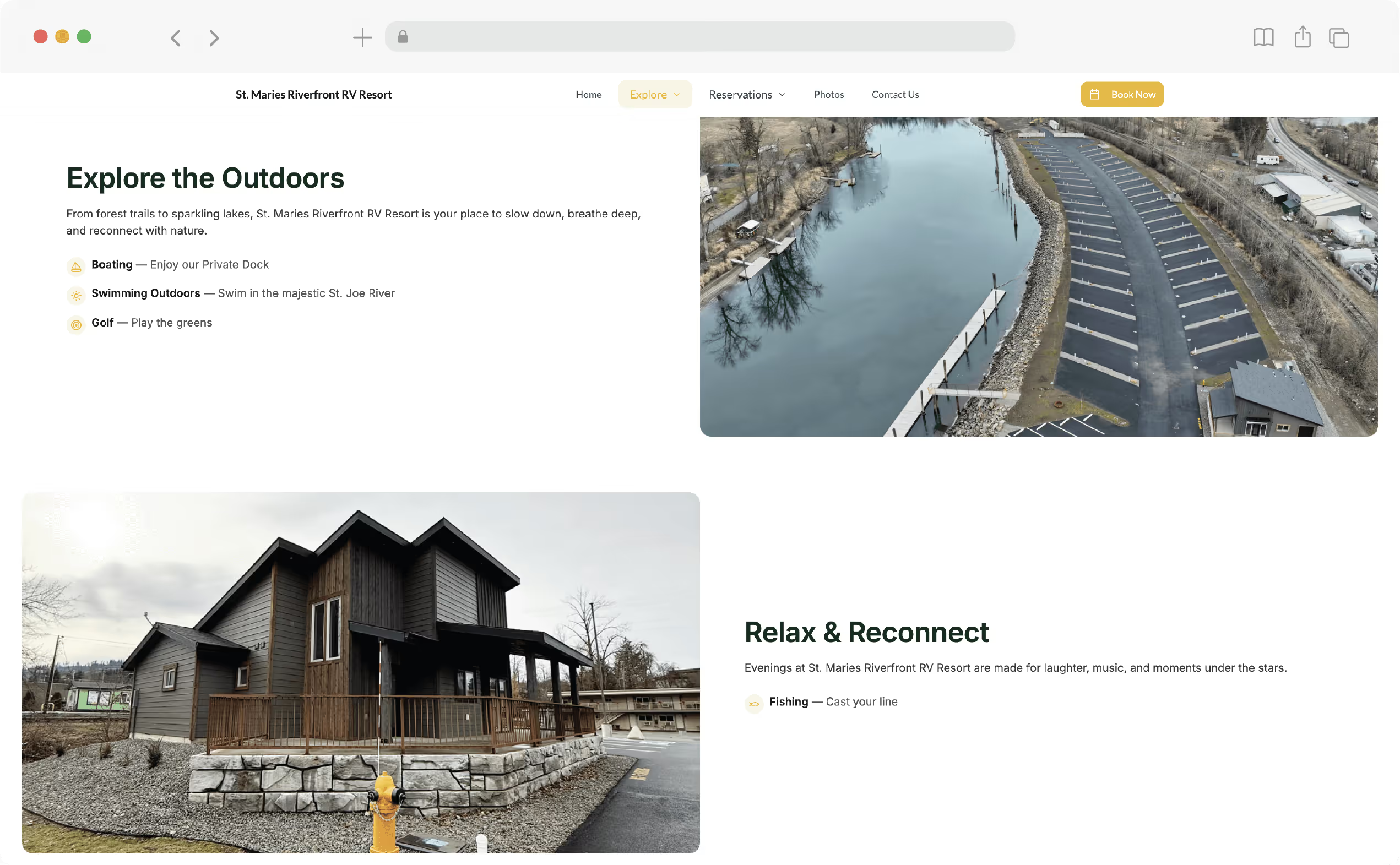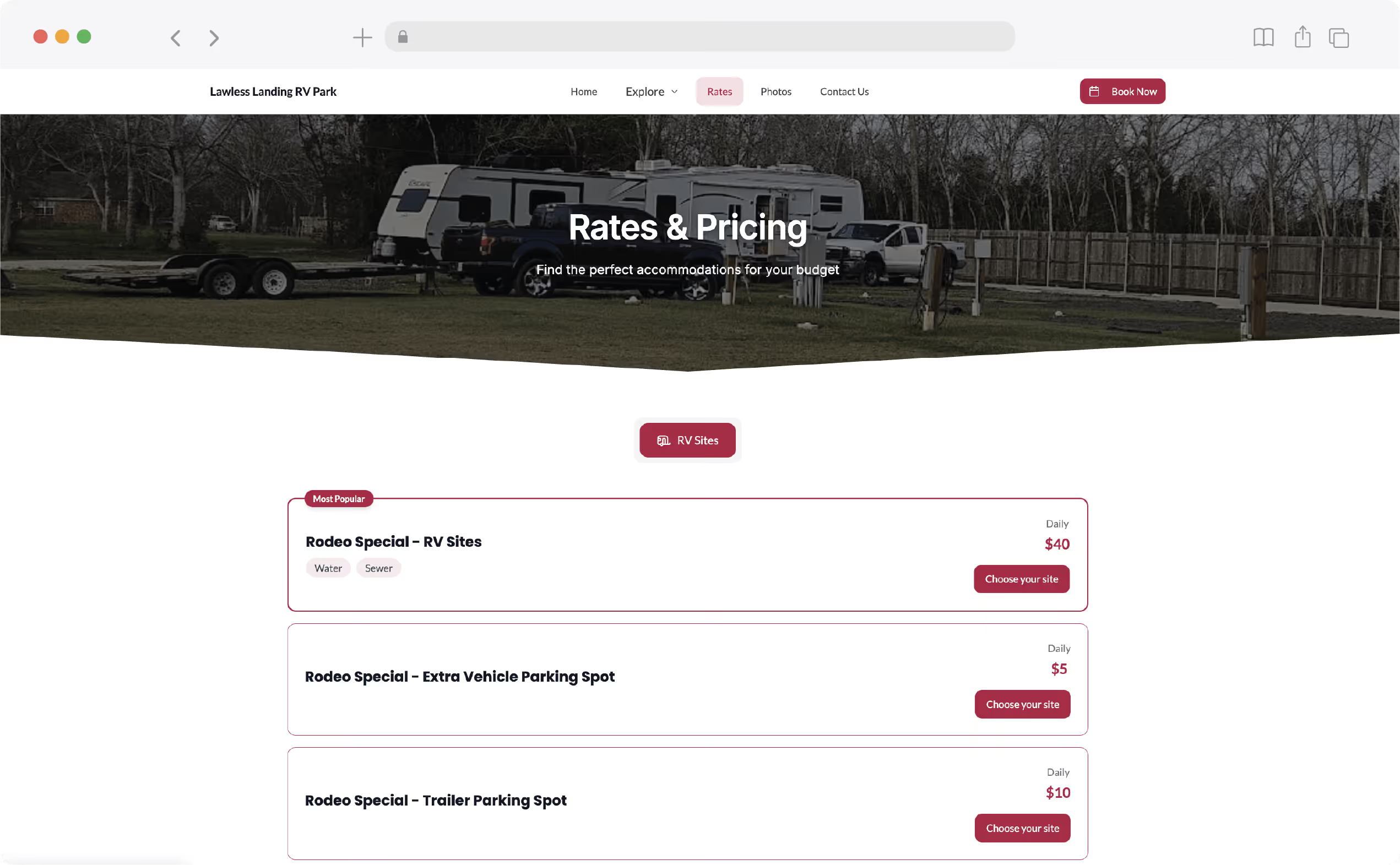
Web development illustration showing hands coding, designing, and optimizing a responsive website.

RV Park and Campground
Website Design

Let your property shine online with a site built to drive reservations

Why Your RV Park or Campground Website
Needs Expert Design?

The right website helps your park show up online, build trust, and turn clicks into reservations.

Red bonfire icon

The Impact of First Impressions Online

81%

of campers search online before booking

Red icon featuring a magnifying glass with an upward-trending arrow, symbolizing search engine optimization (SEO)

SEO & Local Visibility

SEO-ready sites appear

70%

more on Google

Red icon depicting a white calendar, representing scheduling

Driving Bookings with User-Friendly Functionality

Parks with
websites get up to

3x
more
bookings

A Comprehensive Website Solution for Your Park

A full-service solution to get your park online with confidence. Modern design, strong content, and expert support.

When We Build Your Website, You Get All This:
Blue page icon

7 Essential Pages

Home, About, Accommodations, Amenities, Things to Do Nearby, FAQs, and Contact. Everything guests need to see.

Blue icon representing a gallery or image viewer

Professional Content

We write clear, engaging descriptions that highlight your park’s strengths.

Mobile phone icon

Mobile
Optimized

Your website is designed to look great and work smoothly on phones, tablets, and desktops.

Simple blue paint icon to represent custom branding

Custom Branding

We create a look and feel that fits your park’s identity.

Secure folder logo with a search icon to represent seo setup

SEO Setup

Keywords, titles, and structure that help you rank on Google.

Blue puzzle icon representing integrations

RoverPass Integration

Easily connect your reservation software if you use RoverPass. The site also functions fully on its own.

Simple flat blue cloud icon, symbolizing content hosted in the cloud

Professional Content

We register a new domain or connect your current one, and handle hosting.

Call icon representing support

Ongoing Support

Includes updates and maintenance after launch.

See the Quality for Yourself

Take a quick look at how your future website could look and feel. Modern, mobile-friendly, and built to drive bookings.

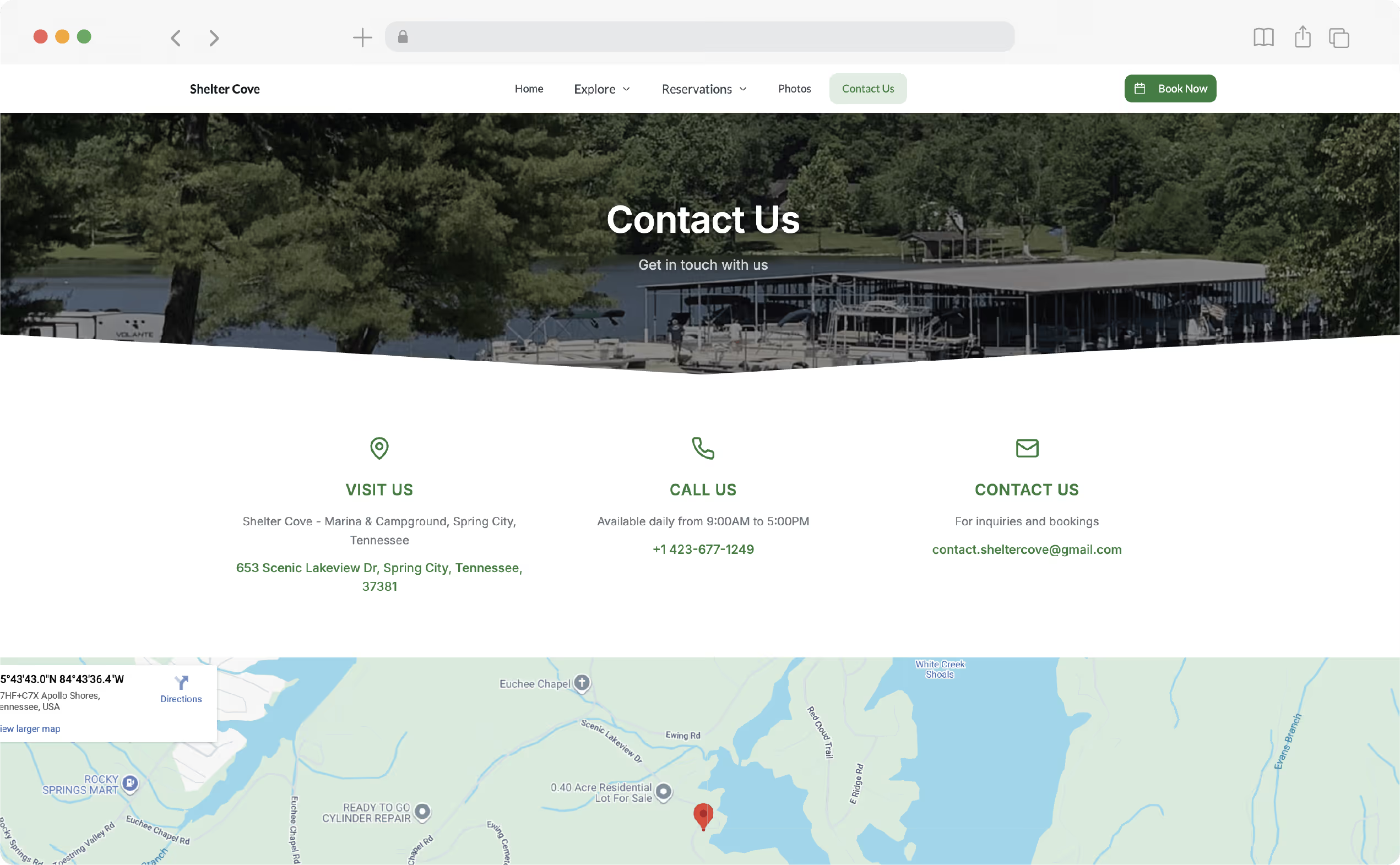
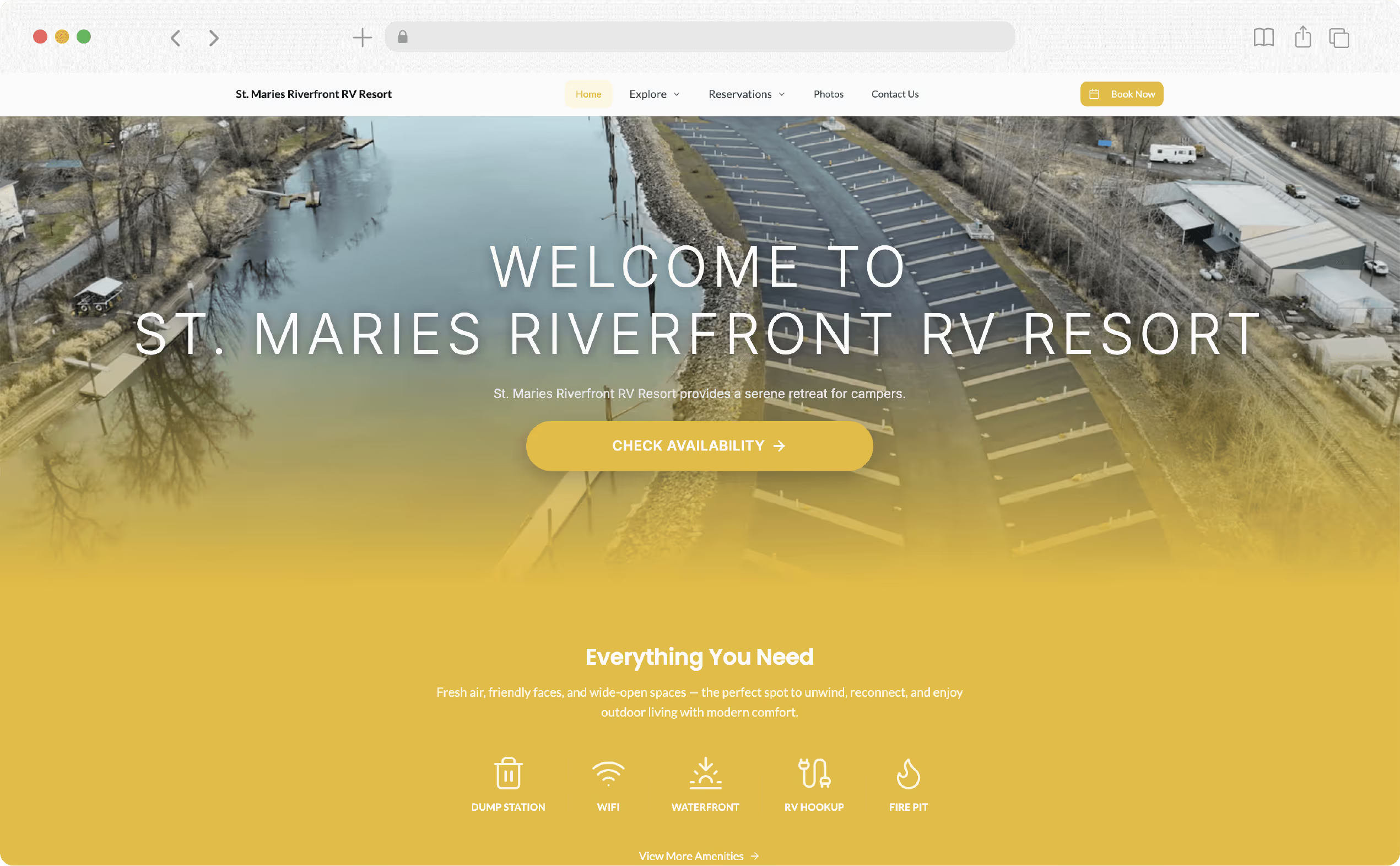
Take a look at real websites we’ve built for parks across the country

Lone Ranger RV Park Website

Lone Ranger RV Park & Lodge

Rustic Americana charm with cabins, horse lodges, and wide-open RV sites.

Visit site
Hudson Ranch landmark and historic resort website

Hudson Ranch Landmark and Historic Resort

Tucked in the California mountains, this peaceful escape feels miles away from city life.

Visit site
Dudley Creek RV Resort website

Dudley Creek RV Resort

Just minutes from the Smoky Mountains, this family-friendly park is all about location and comfort.

Visit site
Midway RV Park and Cabin Rentals website

Midway RV Park and Cabin Rentals

A well-equipped park offering full amenities, ideal for travelers looking for convenience and comfort.

Visit site

Simple Pricing with Everything Included

Your professional campground website, built and maintained by industry experts at a fraction of typical agency costs

Both plans include everything you need to launch your site:
Red icon of a phone, often used to represent communication, contacts, or mobile devices. Ideal for website buttons, mobile app interfaces, and digital platforms.
7-page custom website
Red cloud icon with an upward arrow, used to represent uploading to the cloud
Hosting and domain management
Red puzzle icon representing integrations
Optional RoverPass integration
Photo editing icon
Content writing and photo editing
Red icon of a document with a magnifying glass being used to represent SEO
SEO setup and branding
Ongoing support icon
Ongoing supportand maintenance

From Sign-Up to Site Launch in Four Simple Steps

Our team takes care of the work so you can stay focused on your park.

Let’s Build Your Site
Sharing info icon

Sign Up and Share Info

Fill out a short form and upload photos or details about your park.
Illustration of a robotic arm lifting a box representing building a website

We Build Your Site

Our team creates your custom website and follows up if anything’s missing.
Illustration of a document with an approval stamp

Review and Approve

You get a full draft to review. We make edits and finalize the site.
Illustration of a laptop with a red rocket launching from the screen, representing launching the site

Launch and Support

We publish your site, set up the domain, and provide ongoing updates.
Lone Ranger RV Park and Lodge website
Ready to Bring Your Park Online the Right Way?

Professional design, strong content, and real support — all in one custom website built for your park.

Let's Build Your Site

Book a Free Demo Today!

Custom-Built Websites for Campgrounds and RV Parks
Professionally Written Content That Drives Bookings
Mobile-Friendly Design for All Devices
SEO Setup to Help You Get Found on Google
Fast Launch
Hosting, Domain, and Support Included
No Coding or Technical Experience Required
Affordable Pricing with Two Flexible Plans

RoverPass Makes Running
Your Park Easier

Handle reservations, track guests, and boost visibility with RoverPass —
the All-In-One System for your park.

Questions About Building A Website?
We've Got Answers

1. What are Promo Codes?

Promo Codes are customizable discounts you can create and manage directly in your RoverPass dashboard to boost bookings and reward guests.

2. What’s the difference between Promo Codes and Passes?

Promo Codes are public and can be used by anyone with the code. Passes are private and tied to a guest’s email, making them ideal for personalized offers.

3. Who can use Promo Codes?

Any RoverPass customer using the All-In-One Reservation System has access to Promo Codes at no extra cost.

4. Can I limit how many times a code is used?

Yes. You can set a total redemption limit and also limit how many times each camper can use a code.

5. What types of discounts can I create?

You can offer percentage discounts, flat dollar amounts, or a set discount per night.

6. Can I set rules for when the code applies?

Yes. You can control valid dates, check-in days, and even limit based on the length of stay.

7. How do guests apply a Promo Code?

Guests enter the code at checkout on the payment screen. If valid, the discount is applied automatically.

8. Can I apply a code manually?

Yes. When creating a reservation manually, you can enter a Promo Code directly in the reservation form.

9. Can I deactivate a Promo Code?

You can archive it or adjust the valid dates to end its availability.

10. Will the code affect existing reservations?

No. Any changes you make to a Promo Code will only apply to new reservations moving forward.

11. Can I track which codes are working best?

Yes. You can monitor redemptions and availability right in your dashboard.

12. Can Promo Codes be combined with Discount Club?

No. Campers can use either a Promo Code or a Discount Club rate, but not both at the same time.

13. Can I delete a Promo Code?

You can only delete a Promo Code if it has never been used. If the code has already been redeemed, you can archive it instead to remove it from future use.

14. How are taxes and fees affected by Promo Codes?

The discount value of a Promo Code, especially per-night discounts, is applied to the nightly rate before taxes and any additional fees. Taxes and fees will still be charged on the original price.

Still have questions?

Contact us at 737.252.5625 or book a demo